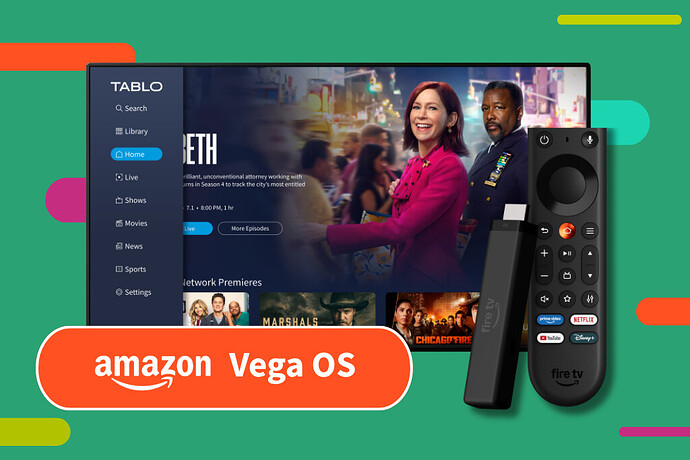
Tablo support for newer Amazon Fire TV devices has changed. The 4th Generation Tablo app is now available for Fire TV models running Amazon’s Vega operating system, removing the compatibility problem that initially left those devices without the app.[3][4]
This guide is for legal, over-the-air Tablo viewing and recording. It does not cover unlicensed IPTV services, sideloaded subscription apps or unofficial streaming sources.
Which Fire TV Vega devices support Tablo?
Tablo lists three compatible Vega models for the new 4th Generation app: Amazon Fire TV Stick HD, Amazon Fire TV Stick 4K Select and Amazon Fire TV Stick 4K (3rd Gen).[3][4] If your device uses older Android-based Fire OS, the existing Tablo app workflow remains unchanged.[3]
The key detail is the operating system, not simply the Fire TV name. Amazon says Vega is a Linux-based platform, while earlier Fire TV devices used Fire OS. Existing apps built for one platform are not automatically compatible with the other, which is why Tablo needed a separate Vega app.[4]
How to install the Tablo app
1. Open Search on Fire TV
From the Fire TV home screen, select the magnifying-glass icon on the left side of the interface. Scroll to Search if it is not already selected.
2. Search for Tablo
Enter TABLO using the on-screen keyboard, or use voice search with the remote. Select the official Tablo TV app from the results.
3. Choose Get or Download
Select Get or Download and wait for the app to finish installing. Tablo says the Amazon Appstore automatically provides the version matched to the Fire TV device, so you should not need to hunt for a separate “Vega” package.[3][4]
4. Open the app and connect your Tablo
Return to the home screen, open the app from your Apps section and follow the prompts to connect it to your 4th Generation Tablo. The exact pairing screen can vary with the Tablo hardware and network setup, so follow the current on-screen instructions rather than an old screenshot.
What features are included?
Tablo says the Vega app includes the Live TV Grid, one-click series recording, pause, rewind and fast-forward controls. It also adds Record Live, which lets you begin recording the programme currently playing without returning to the guide.[3][4]
The app also includes connectivity details and troubleshooting help on its connection screens. Tablo describes improved performance, but that is the company’s product description—not an independent benchmark—so treat it as a feature claim rather than a promise of identical performance on every network or television.[3]
Amazon’s Vega platform itself reached general availability for Vega OS 2.0 and Vega SDK 2.0 on October 29, 2026. Amazon says the update rolled out to Vega-powered Fire TV devices and included platform and developer-tool changes, but that does not mean every app will behave identically after an update.[5]
If Tablo does not appear in search
First, confirm the Fire TV model and operating system. A device name that looks similar may be a different generation. Then check for pending Fire TV system updates, restart the device and search again for the official Tablo app.
If the app appears but installation fails, check available storage and network connectivity. If you are using a legacy Tablo device, note that Tablo’s current support documentation distinguishes legacy apps from 4th Generation apps. Do not assume that an older DVR can use the new app without completing any required transition steps.[3]
If the app installs but cannot find the Tablo, confirm that both devices are on the intended home network and that the Tablo is powered on. Avoid opening ports or weakening router security as a first troubleshooting step. Use Tablo’s official support instructions for model-specific network guidance.
Fire OS versus Vega: the quick explanation
Fire TV’s operating system label matters because app compatibility is platform-specific. An older Fire OS stick may continue using its existing Tablo app, while a newer Vega stick needs the app built for Vega. The two situations can look similar from the outside—both are branded Fire TV—but they are not interchangeable app environments.[3][4]
That is also why a general “install the Android APK” tutorial is the wrong approach for Vega. Use the Amazon Appstore listing intended for your device. For general streaming-device setup help, see Honest Fred’s ONN 4K Google TV setup guide.
Bottom line
If you own a Fire TV Stick HD, Fire TV Stick 4K Select or Fire TV Stick 4K (3rd Gen) running Vega, search the Amazon Appstore for Tablo and install the official 4th Generation app. The important checks are the exact model, the operating system and whether you are using a 4th Generation or legacy Tablo. Availability and app behaviour can change, so verify the listing and support page on the day you install it.
Sources
Source 4: https://www.tablotv.com/blog/4th-gen-tablo-app-for-amazon-fire-tv-vega-models
Source 5: https://developer.amazon.com/apps-and-games/blogs/2026/10/vega-2-0-sdk-launch