
How to choose a media streaming device in 2026
Picking a media streaming device in 2026 starts with a handful of practical questions rather than spec-sheet comparisons. What resolution does your TV support? Which streaming apps do you use most often? Do you want hands-free voice control, or do you prefer a remote? Do you need Apple AirPlay or Google Cast for streaming content from a phone or tablet? Answering those questions first will narrow the field far more quickly than reading technical specifications.
The streaming device market has matured to the point where even budget options deliver solid 4K performance. The differences between devices now come down to ecosystem choice, specific features like voice assistants and casting support, and incremental improvements in speed and wireless connectivity. Understanding the differences between the major streaming platforms can save money and frustration. This guide draws on independent reviews from PCMag and Yahoo Tech to explain what matters and what does not when choosing a media streaming device in 2026.
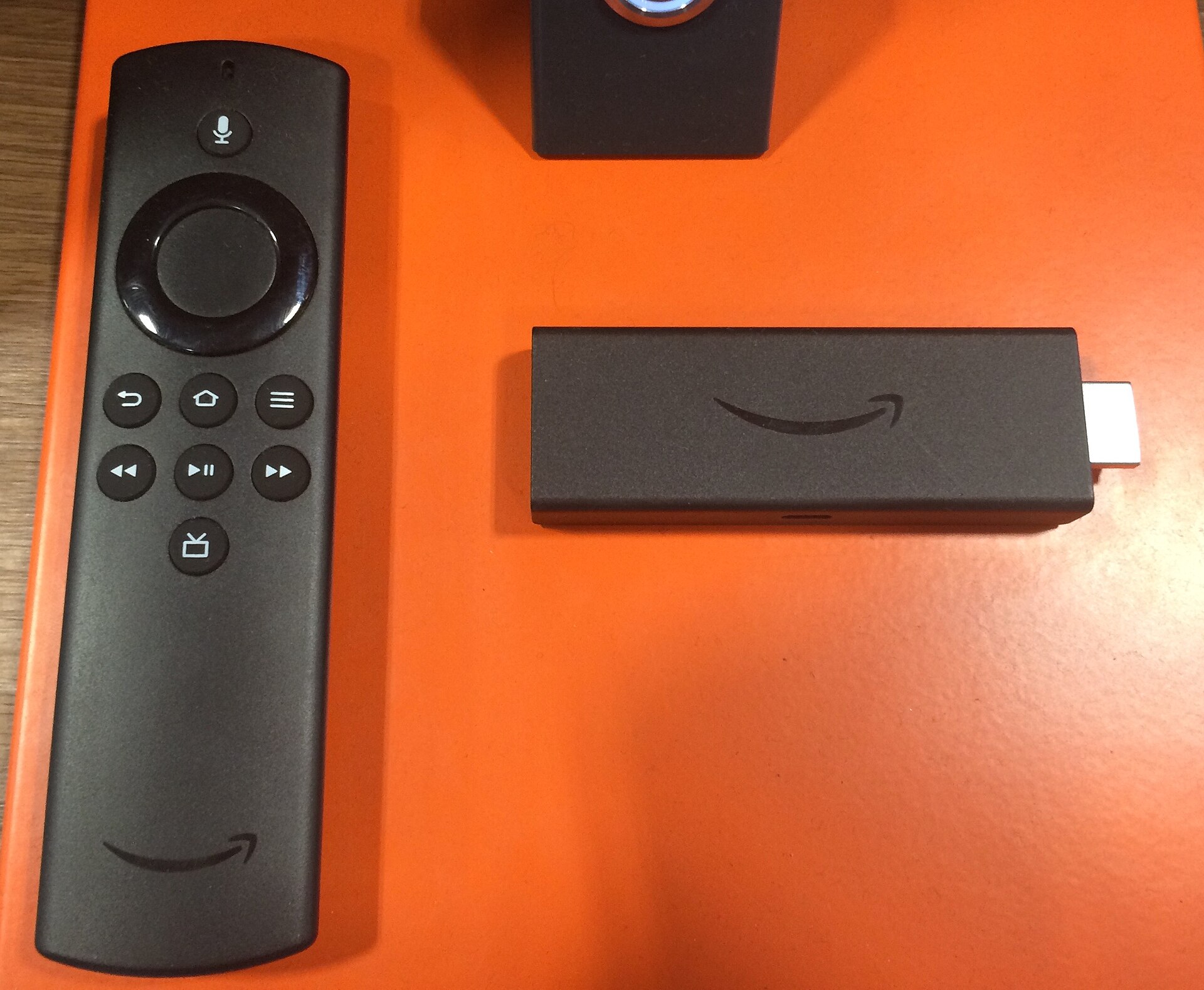
What PCMag recommends for most people
PCMag’s “The Best Media Streaming Devices for 2026” guide, written by principal writer Will Greenwald and updated on May 1, 2026, awards 4.5-star ratings and Editors’ Choice honours to two devices: the Amazon Fire TV Stick 4K Plus, previously called the Fire TV Stick 4K, and the Onn 4K Pro. PCMag describes them as the best media streaming devices for most people, citing a combination of performance, features and value.
PCMag’s notes on the Fire TV Stick 4K Plus highlight its roughly $50 price point, Wi-Fi 6 support, 4K output with HDR10, HDR10+ and Dolby Vision, Alexa voice assistant accessed through the remote, and a wide selection of apps and features. The notable downsides are the absence of Apple AirPlay and Google Cast for local streaming, which may matter to users who regularly cast content from a phone or tablet to their TV.
PCMag also names the Amazon Fire TV Stick HD as the top affordable way to add streaming to an older 1080p TV. For viewers who do not own a 4K set, the HD model provides a cost-effective entry point into the Fire TV ecosystem without paying for 4K capabilities that would go unused.
PCMag’s 2026 Readers’ Choice results
PCMag published a 2026 Readers’ Choice survey covering TV, home audio and streaming brands. The survey aggregates reader satisfaction scores across categories and provides a useful counterpoint to PCMag’s own laboratory testing and editorial reviews. The Readers’ Choice results reflect real-world ownership experiences and highlight which brands deliver the highest satisfaction over time.
Budget TVs and streaming sticks from Yahoo Tech
Separately, Yahoo Tech’s budget TV roundup, written by senior tech writer Rick Broida and updated on May 29, 2026, provides a complementary perspective for viewers building a complete home entertainment setup on a budget. Yahoo reports that budget TVs start at around or slightly below $300 for a 55-inch model, making 2026 an unusually good time to shop for an affordable set.
The roundup names several specific picks based on use case:
- Vizio VQM55C-10 as best budget TV overall, priced at $248 at Walmart
- TCL T7 Series 55-inch as best budget TV for sports and gaming, priced at $400 at Amazon
- Roku Select Series 55-inch as best budget TV for ease of use, priced at $230 at Amazon
- Amazon Ember 4-Series 55-inch as best budget TV for families, priced at $280 at Amazon
- Hisense E6 Cinema Series 55-inch as an honourable mention for colour among QLED models
Yahoo also suggests a Roku Streaming Stick 4K as an add-on for viewers who want a better streaming experience on an older or non-smart TV without replacing the television itself. The combination of a budget TV and a capable streaming stick can deliver a viewing experience that rivals more expensive setups, with the total cost of a 55-inch TV plus a streaming stick potentially coming in under $350.
What to check before buying
Several practical factors should guide a streaming device purchase in 2026. The following checklist covers the most common decision points.
Resolution and HDR support: For 4K TVs, look for HDR10 as a minimum standard. Dolby Vision and HDR10+ add dynamic metadata-driven HDR processing that can improve picture quality on supported content. For 1080p sets, HDR matters less since the resolution is the primary limitation.
Wi-Fi version: Wi-Fi 6 is now standard on better streaming devices and reduces congestion on busy home networks. Wi-Fi 5 remains usable but may struggle in homes with many connected devices competing for bandwidth.
App ecosystems: Make sure the device supports every app you actually use. If you rely on a niche service, verify availability before purchasing. The major platforms cover Netflix, Prime Video, Disney+, YouTube and Hulu, but smaller services may not be available on every ecosystem.
AirPlay and Google Cast: If you stream content from a phone or tablet, check for Apple AirPlay or Google Cast support. The Fire TV Stick 4K Plus lacks both, according to PCMag’s review, which may be a deciding factor for users invested in those ecosystems.
Hands-free voice: Some devices include far-field microphones for hands-free Alexa or Google Assistant. Others require pressing a remote button to activate voice control. Decide which experience you prefer before choosing.
Ethernet: If Wi-Fi is unreliable in your TV’s location, look for an ethernet port or adapter support. A wired connection eliminates wireless interference entirely.
Processor and responsiveness: A faster processor and more RAM translate to smoother navigation and quicker app launches. Budget sticks often cut corners here, leading to laggy menus over time. If responsiveness is a priority, invest in a mid-range or higher device.
Smart TV already covered: If your TV’s built-in apps work well and cover the services you use, a separate streaming stick may be unnecessary. The case for an external device is strongest when the TV’s own platform is slow, missing apps, or no longer receiving software updates.
A note on prices and testing
All prices and product recommendations in this article are attributed to the named publishers and dates cited above. Prices change frequently; readers should verify current pricing on retailer websites before making a purchase decision. Honest Fred has not independently tested these devices and does not accept manufacturer review units for testing.
Sources
- PCMag – The Best Media Streaming Devices for 2026
- PCMag – Readers’ Choice 2026: TVs & Streaming
- Yahoo Tech – Best Budget TVs





