
Apple has announced that Siri AI — a completely new version of Siri powered by Apple Intelligence — is coming to Apple TV. It is in beta and requires specific hardware, software and region settings to work. Here is what you need before it works, and how to use it once it does.
Siri AI was unveiled alongside the new fourth-generation Apple TV 4K on October 13 2026. But you do not need that new box to try it. Apple says Siri AI is available as a beta on Apple TV 4K (2nd generation) and later, running an upcoming tvOS 27.2 beta.
1. Check Your Apple TV Model
Siri AI works on Apple TV 4K (2nd generation) and later. That includes the Apple TV 4K (2nd gen, 2021), Apple TV 4K (3rd gen, 2022) and the new fourth-generation Apple TV 4K announced in October 2026. The Apple TV HD and the first-generation Apple TV 4K are not supported. tvOS 27 will not be available for Apple TV HD or the first-generation Apple TV 4K.
To check your model, go to Settings on your Apple TV and look at the system information. If you have an Apple TV 4K from 2021 or later, you are eligible for the beta.
2. Check Your Region and Language
At launch, Siri AI on Apple TV is available only in English and only in the US, Australia, Canada, India, New Zealand, Singapore, South Africa and the UK. If your Apple TV is set to a different region or language, Siri AI will not appear.
You can check and change your region in Settings. The feature may expand to additional regions and languages over time, but Apple has not announced a timeline.
3. Make Sure You Have an Apple Intelligence-Capable iPhone or iPad Paired
Siri AI on Apple TV requires a paired iPhone or iPad that supports Apple Intelligence. The TV device handles the display and far-field microphones, but the heavy lifting of understanding and generating responses is done through the paired device.
Apple Intelligence is available on iPhone 15 Pro and later, and on iPad models with A17 Pro or M-series chips. If your iPhone or iPad does not support Apple Intelligence, you will not be able to use Siri AI on Apple TV.
Make sure your iPhone or iPad is signed in to the same Apple ID as your Apple TV and is on the same Wi-Fi network.
4. Update to tvOS 27.2 When It Is Available
Siri AI requires tvOS 27.2, which is currently in beta. The new fourth-generation Apple TV 4K ships with tvOS 27.2 preinstalled. For existing Apple TV 4K (2nd gen and later) owners, the update will appear as a beta profile installation.
Before installing a beta, remember that beta software is unfinished and can break things. Apps may crash, features may not work, and stability may suffer. If you rely on your Apple TV for daily viewing, consider waiting for the public release of tvOS 27.2 rather than installing the beta.
5. Enable Siri in Settings
Once you are on tvOS 27.2, Siri should be available by default. If it is not, check Settings on your Apple TV. Make sure Siri is enabled and that your language and region match a supported configuration.
6. Try It by Voice
On the new fourth-generation Apple TV 4K, there are three far-field microphones built into the box. You can say “Siri” or “Hey Siri” from across the room without picking up the remote.
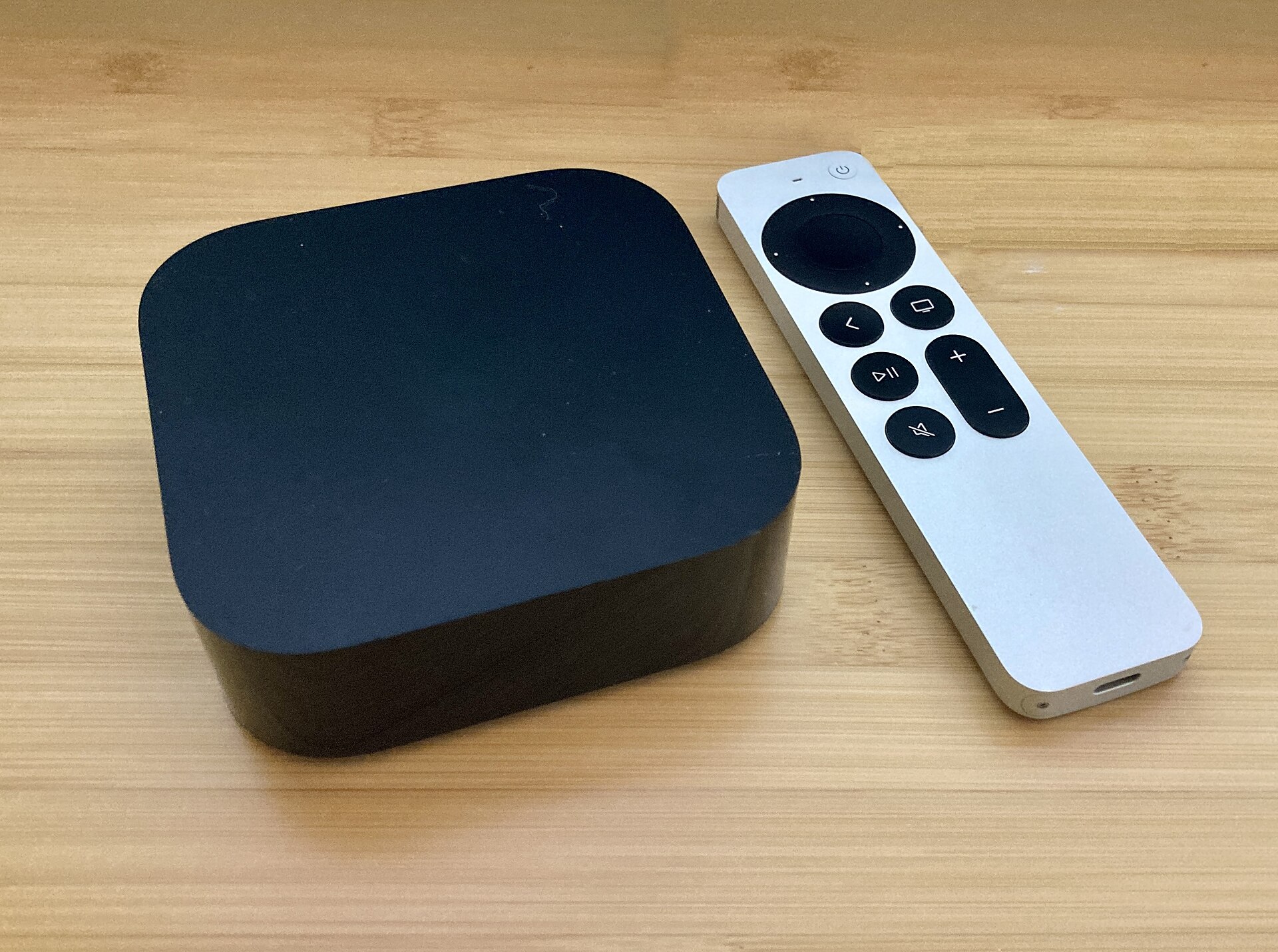
On older Apple TV 4K models, or if you prefer to press a button, the updated Siri Remote has a microphone and a Siri button on its side. Press and hold the button while speaking.
Siri AI appears in a full-screen experience on the TV, rather than the small overlay used by the old Siri. You can ask questions and see rich visual responses.
7. Ask Follow-Up and Discovery Questions
Siri AI is designed to handle conversational follow-ups. You can ask a question and then refine it with another question without repeating context.
Example prompts to try:
- “What are the best nature docs on Apple TV right now?”
- “What did I watch last night?”
- “Play that video Sarah sent me.”
- “What’s the weather like tomorrow?”
Because Siri AI can access personal information on a paired iPhone or iPad, it can surface recommendations shared by friends and contacts in apps like Messages. For example, if a friend sends you a show recommendation in Messages, Siri AI can find it and play it.
8. Troubleshoot Common Issues
Siri AI not available in your country or language. The feature is limited to English and the eight regions listed above. If you are outside those regions, you will need to wait for expansion.
No microphone on older boxes. Apple TV 4K (2nd and 3rd generation) do not have built-in far-field microphones. You must use the Siri Remote’s microphone.
Needs a paired device. If Siri AI is not working, check that your iPhone or iPad is signed in to the same Apple ID, supports Apple Intelligence, and is on the same Wi-Fi network.
Beta instability. tvOS 27.2 is beta software. If you experience crashes, missing features or poor performance, these are expected in a beta. You can report feedback through the Feedback Assistant app on Apple TV.
Siri gives a bad answer. Siri AI is new and in beta. It may misunderstand questions or give incorrect responses. Try rephrasing the question or providing more context.
Hardware and Pricing
The new fourth-generation Apple TV 4K costs $299 and comes with 128GB of storage. It ships on November 13 2026, with preorders open since October 13 2026. tvOS 27.2 comes preinstalled and adds a Podcasts app with video podcasts, plus Hi-Res Lossless, AutoMix and Crossfade in Apple Music.
The new box features an A19 chip, which Apple says delivers better performance and enables the on-device processing needed for Siri AI’s far-field microphones.
Caveats
Beta availability, regions, language support and device requirements are as announced by Apple on October 13 2026 and can change. Apple may expand Siri AI to additional regions, languages or devices in future updates, but has not committed to a timeline. Always check Apple’s official documentation for the latest information.
Sources
- Apple Newsroom – Apple Unveils the New Apple TV 4K
- MacRumors – New Apple TV 4K Announced
- The Verge – Apple TV 4K Gets Siri AI, Far-Field Microphones in Fourth-Generation Redesign
- FlatpanelsHD – New Apple TV 4K with Siri AI, A19 Chip and $299 Price
- MacStories – The Apple TV 4K Gets Siri AI, an A19 Chip and a $299 Price Tag





