
YouTube Shorts: How Creators Can Ride the Wave of Short‑Form Video
Rapid Growth and Viewership Numbers
Shorts is YouTube’s fastest‑growing content format, with total Shorts views rising from about 30 billion daily views in 2022 to an estimated 90 billion daily views as of March 2025. This surge shows that short‑form video has become a dominant behavior across the platform.
Expert Guidance from Julia Lee Harter
YouTube Culture and Entertainment Editor Julia Lee Harter recently shared practical pointers for creators who want to tap into the platform’s trends. Her advice blends tactical steps with broader strategic thinking, making it valuable for both new and experienced creators.
Five Key Tips for Crafting Successful Shorts
- Iterate with Remix: YouTube’s Shorts remix options let creators tap the remix button to reuse audio, create a collab post, add a green‑screen effect, or cut a section from a clip to inspire another video.
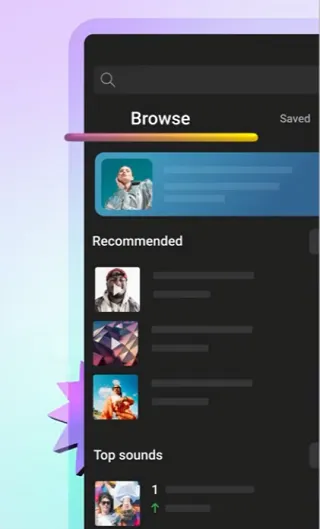
- Let trending audio guide you: Browse YouTube’s Audio Library via the “Add Sound” option to discover what’s trending, then incorporate that audio into your own creations.
This audio is auto‑generated. Please let us know if you have feedback.
Retrieved from YouTube on July 14, 2026
- Explore using hashtags: Though hashtags have fallen out of favor for reach, tapping relevant tags reveals community‑specific trends. “Every community on YouTube has its own hashtags, whether it’s #booktube, #cleanwithme or #learnonshorts,” Harter said. “Tapping on these hashtags takes you to its pivot page, which is a gold mine of ideas.”
- Try a template: Templates help beginner creators learn pacing and editing rhythm, or give anyone a fast way to produce a polished video. Use the Shorts template button to apply the same style, timing, cuts, and music to your clip.
- Stay informed: Subscribe to the official YouTube blog for data on emerging trends and creator case studies that keep you ahead of the curve.
Retrieved from YouTube on July 14, 2026
Engagement Features: Stickers and Interactive Tools
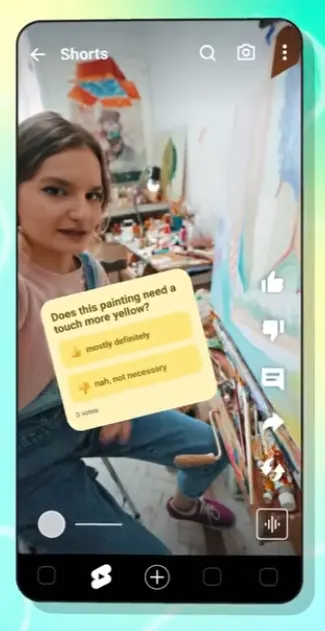
- Poll sticker: This sticker lets you pose a quick question with two answer choices, prompting viewers to vote directly in‑stream. The resulting insights can shape future content.
Retrieved from YouTube on July 14, 2026
- Quiz sticker: Pose a question with two possible answers, then reveal the correct one, encouraging viewers to engage and respond.
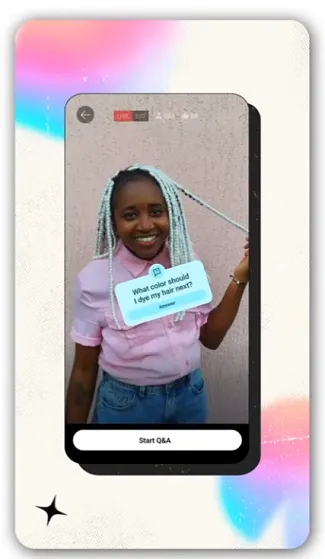
- Q&A sticker: Invite viewers to type custom responses, a useful source of ideas for future videos, as Harter notes.
Retrieved from YouTube on July 14, 2026
- Add Yours sticker: Prompt viewers to add their own Shorts, increasing exposure and fostering community participation.
Harter advises creators to monitor replies and turn valuable comments into the focus of the next video. “When you get a great question, an intriguing opinion, or a funny comment, don’t just reply generically — make that user the star of your next video,” she says. This approach deepens community ties and fuels channel growth.
Connecting Shorts to Long‑Form Content
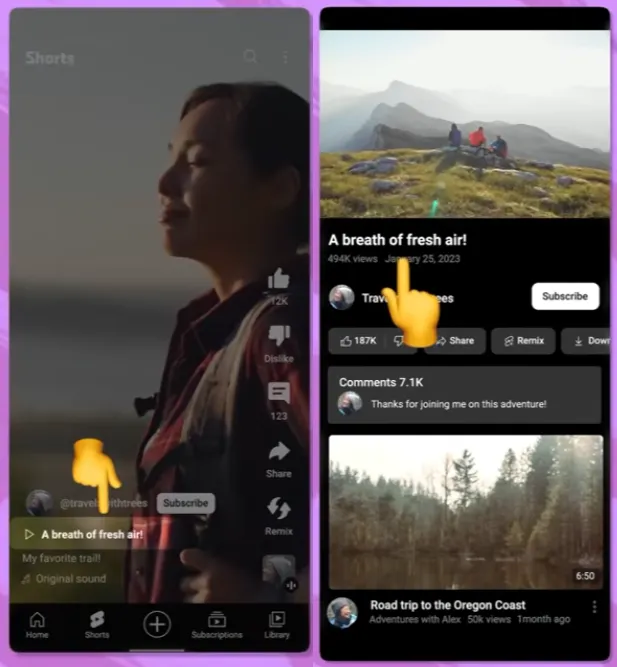
To turn short‑form viewers into long‑form fans, Harter recommends using the Related Videos link feature. This creates a direct bridge from a Shorts clip to a longer video, guiding discovery.
Retrieved from YouTube on July 15, 2026
Harter stresses the importance of a clear call to action: point at the link or show a thumbnail image so viewers know where to click. The first few seconds of the linked long video should confirm the viewer’s choice, avoiding unrelated intros or hunting for information.
Finally, she encourages experimentation with new features such as vertical live streams, which can further diversify a creator’s Shorts strategy.





